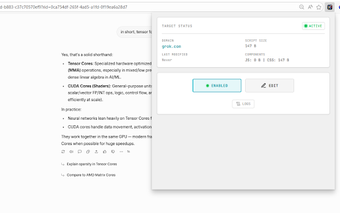
Boost: quick client-side JavaScript and CSS injection for Chrome
Boost: JavaScript & CSS Injector, by the Boost Extension team, is a Chrome extension that lets users alter websites' appearance and behavior at the client level. It supplies an integrated code editor with syntax highlighting, domain-specific rules, and real-time injection so edits often apply without a full reload. Cloud synchronization, a simple toggle system, and a clean interface help manage snippets across machines. The tool targets web developers, UI designers, and power users who need fast in-browser customization and debugging.
What is Boost used for?
Boost is an extension that enables on-the-fly modifications to webpages by running custom JavaScript and CSS inside the page context. The extension includes an integrated code editor with syntax highlighting and supports domain-specific rules so scripts run automatically on selected sites. Its toggle controls let users enable or disable individual snippets quickly, which suits iterative UI testing and minor cross-site fixes.
How does Boost behave under typical browsing loads?
The extension is presented as lightweight compared with fuller userscript managers, a positioning that reduces its visible overhead during normal desktop use. Real-time injection applies many edits without forcing a full page reload, so small style and behavior changes appear quickly. Actual performance depends on the complexity of injected scripts: heavy or poorly optimized JavaScript can still slow pages regardless of the extension’s footprint.
Does Boost introduce privacy or security concerns?
Injected JavaScript runs with access to the page's DOM and data, so the developer guidance notes only using code from trusted sources. Cloud synchronization uses the browser account to move saved snippets between signed-in instances, which ties script availability to the user's browser profile. Because standard mobile Chrome does not support extensions, the extension's security surface is confined to desktop Chromium environments.
How well does Boost integrate with Chromium browsers and workflows?
Boost supports Chrome and other Chromium-based browsers such as Edge, Brave, and Opera, and it uses the browser's native sync mechanism so scripts follow a signed-in profile. The extension focuses on quick edits and CSS overrides rather than reproducing every advanced feature of larger script platforms, making it a practical choice for users who prefer a minimal setup and fast turnaround for client-side tweaks.
Practical choice for coders who want quick client-side edits
Boost suits developers and designers who can write JavaScript or CSS, because it targets direct script authoring rather than point-and-click configuration; user reviews note the extension's simplicity and reliable behavior in the Chrome Web Store. The trade-off is a modest feature surface that expects authorship skills. New users should plan to test snippets on non-critical pages until they gain confidence with injected code.